Everything you need to run a modern chartering desk
Ship data, open ships, owner contacts and your deals, in one platform built for chartering desks.
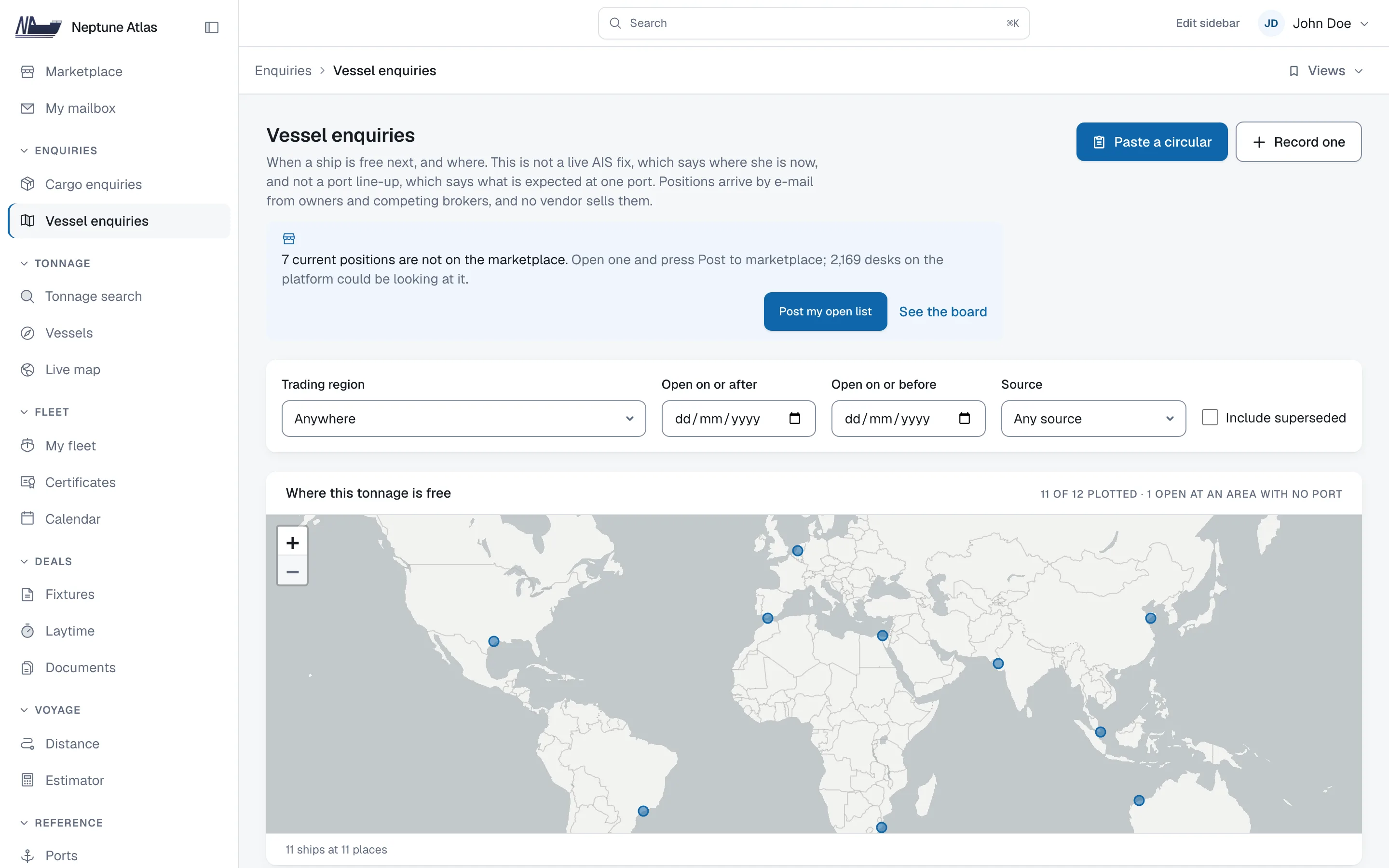
Position lists
Ship lists e-mailed by owners and brokers, turned into open positions with dates that you can search.
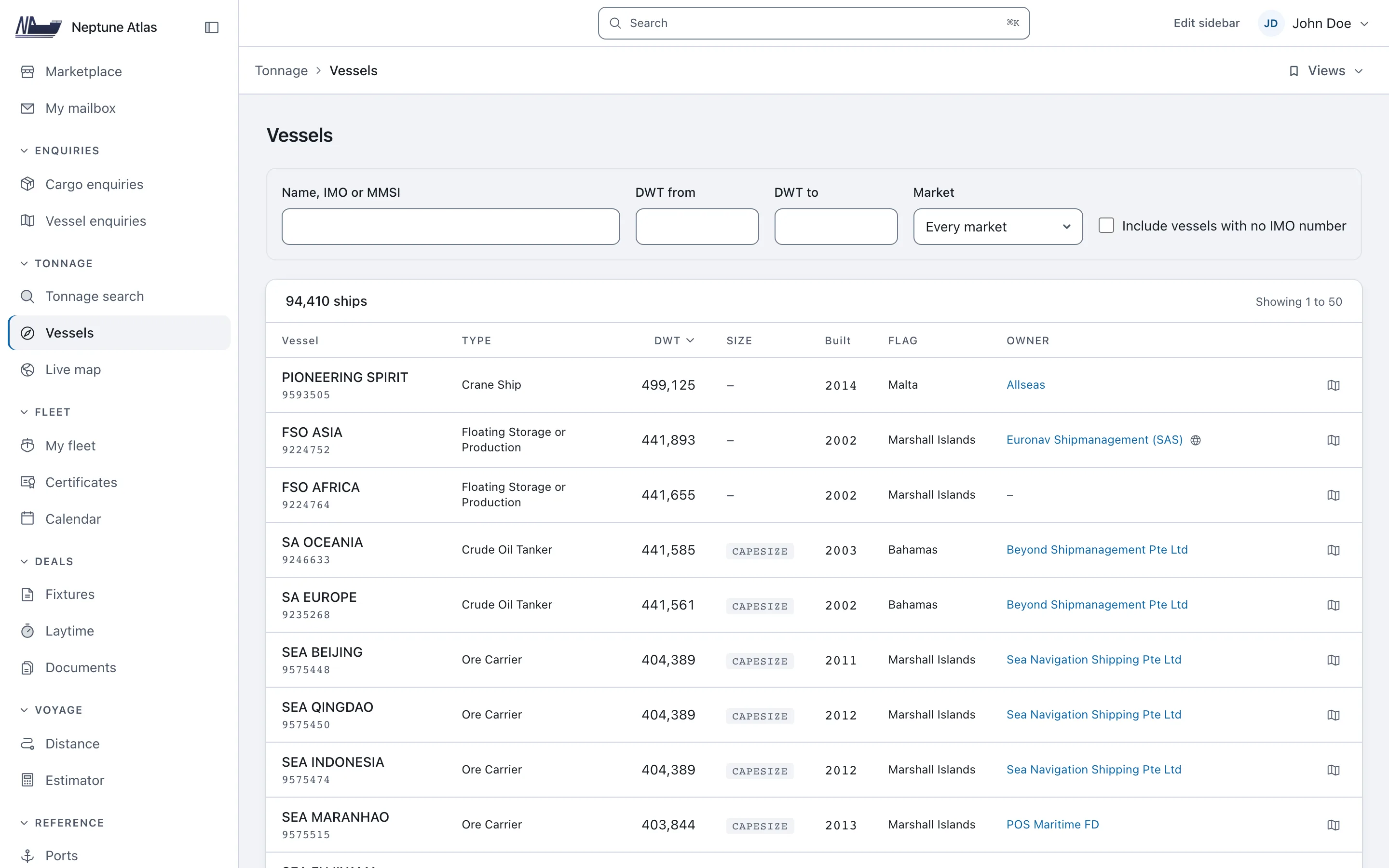
Vessel register
Every merchant ship in the world, with its details, owners and survey dates.
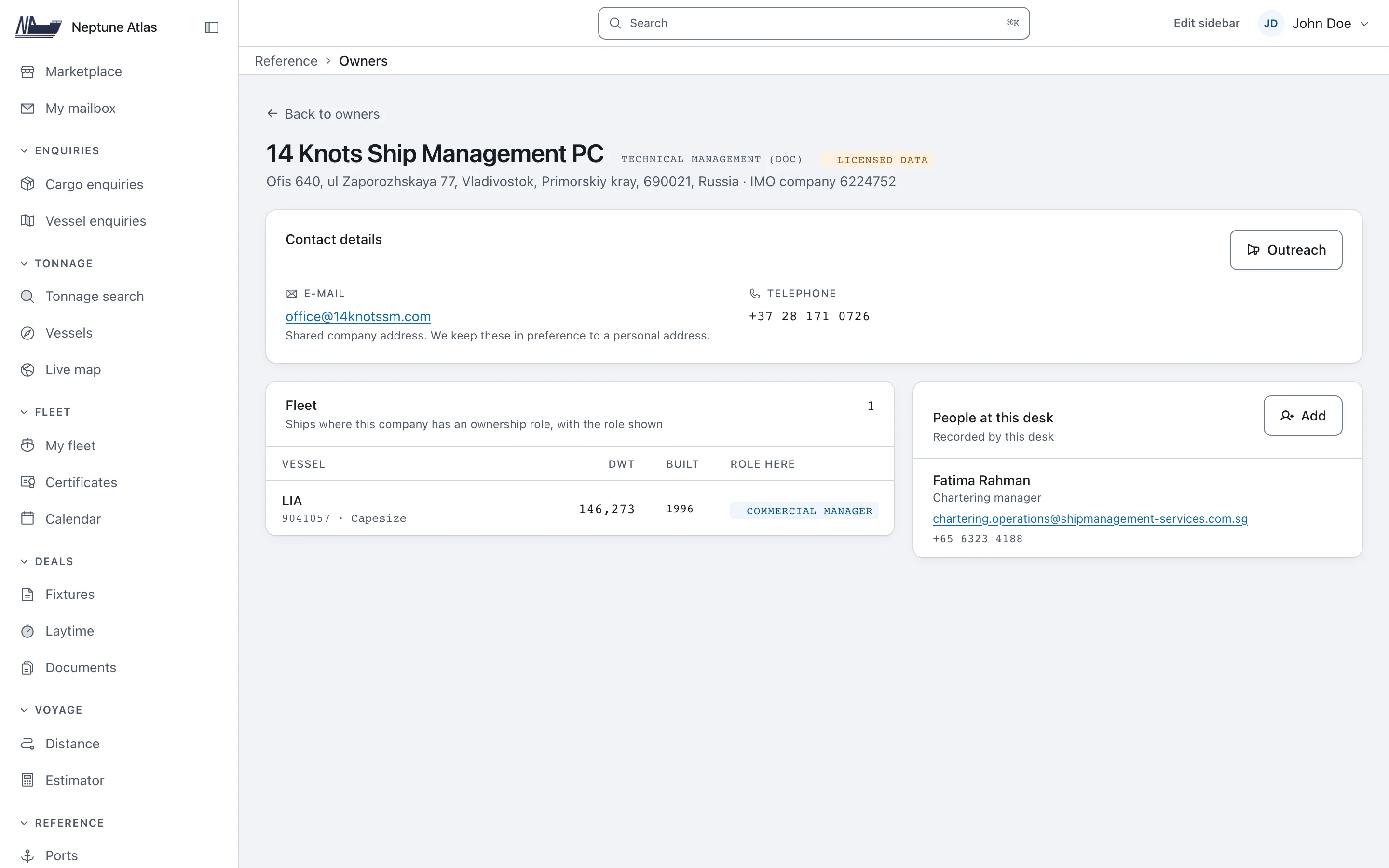
Owners and managers
The company that manages each ship, and the people to contact.
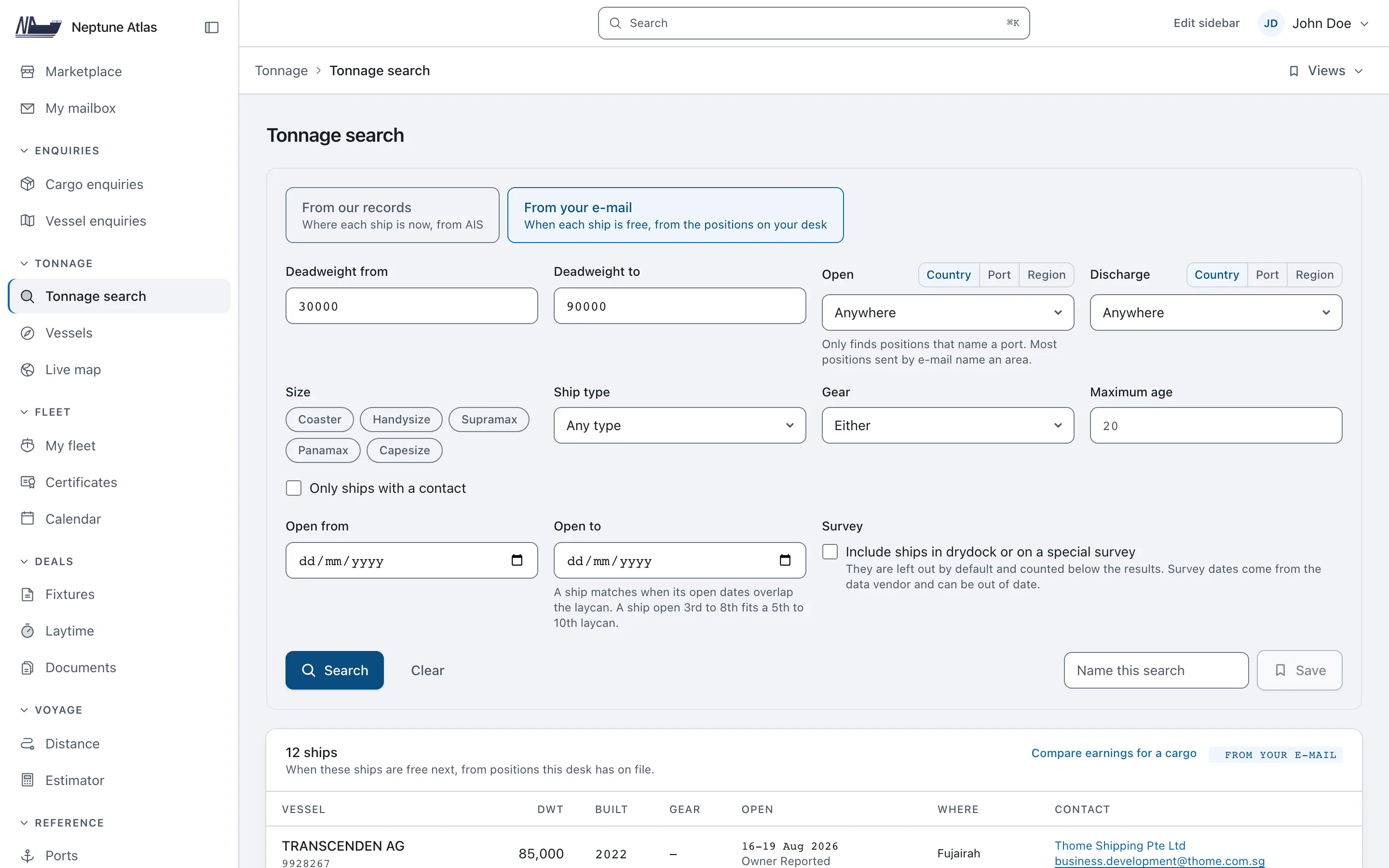
Tonnage search and estimates
Find open ships that fit a cargo and rank them by TCE (time charter equivalent, the ship's earnings per day).
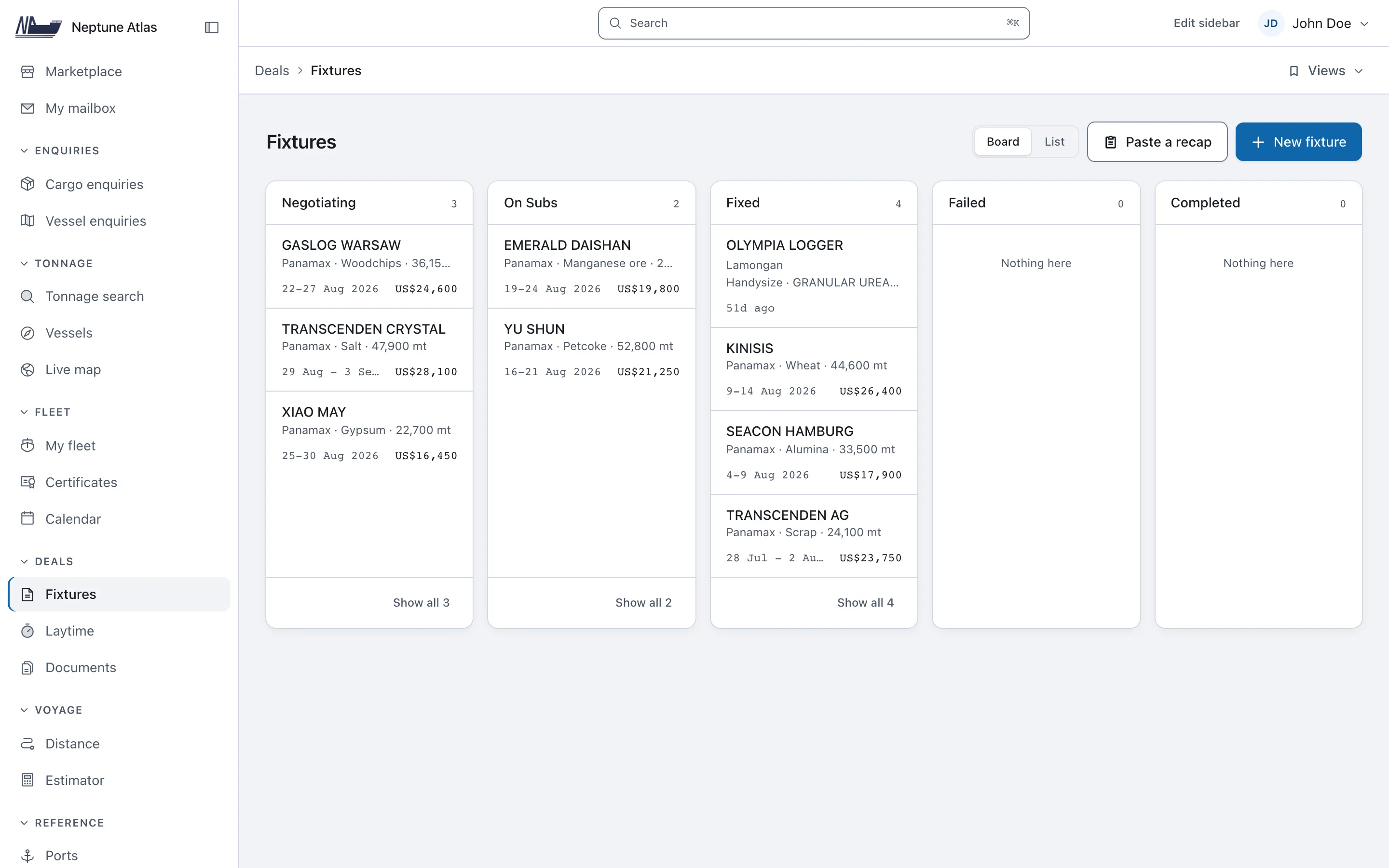
Fixtures
Each deal from the first offer to the signed agreement, with all your deals in one list.
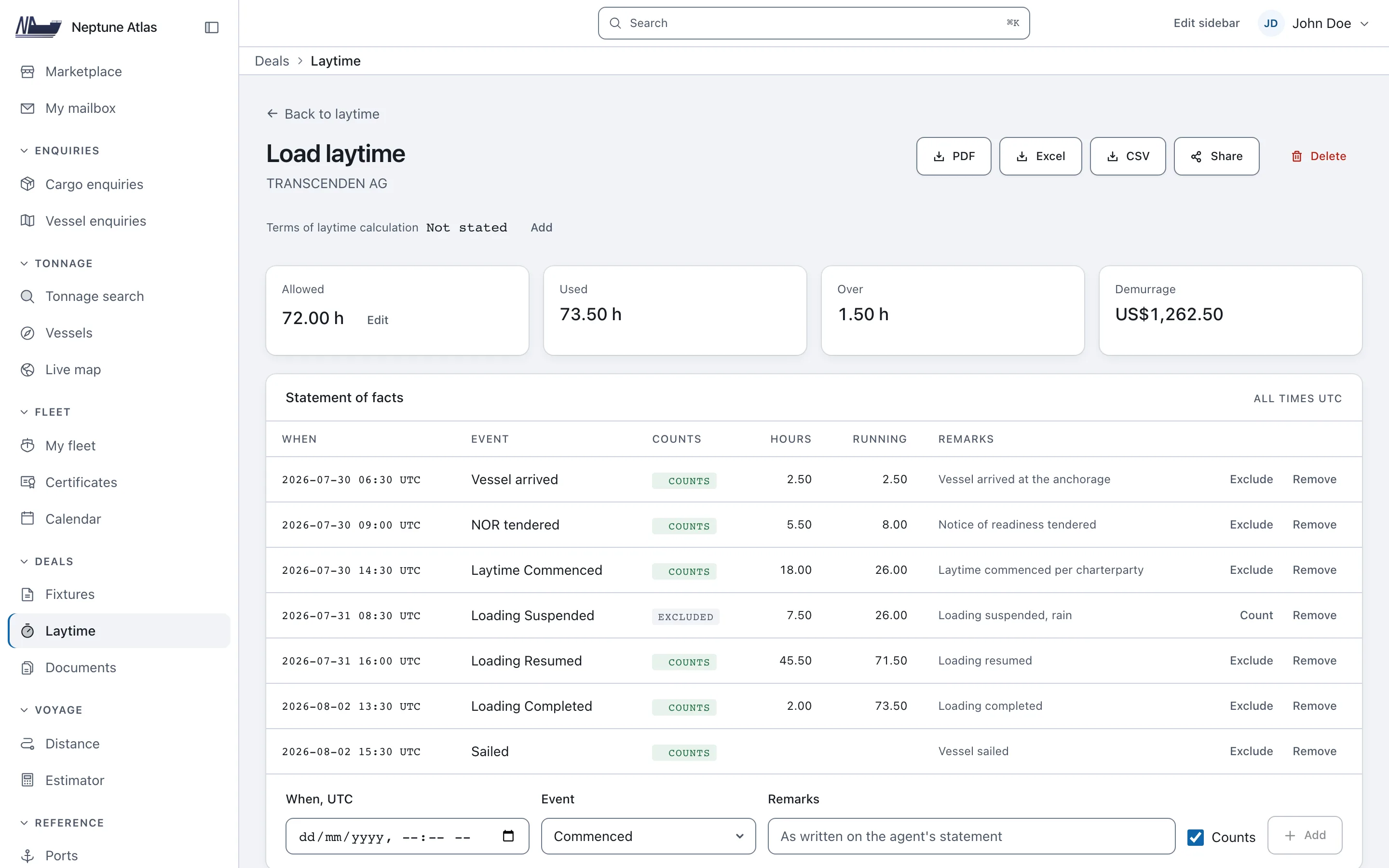
Laytime and demurrage
Enter the times from the port (the statement of facts), and demurrage (the fee for delay) and despatch (the payment for finishing early) are calculated for you.
See how Neptune Atlas works
The vessel register, position lists, tonnage search, cargo enquiries, owner and manager contacts, fixtures, voyage tools and laytime, each shown on its real screen. Ships, companies and ports are real data. The positions and fixtures are example data, because a new account starts empty.
Position lists
Each open ship with the date it is free, the port or area, and where the report came from. The original e-mail text is kept next to the dates, because short forms such as OPEN SPORE 11/14 AUG DELY DOP contain terms that no field can store. Owners and other brokers send these lists by e-mail. No data vendor sells them.
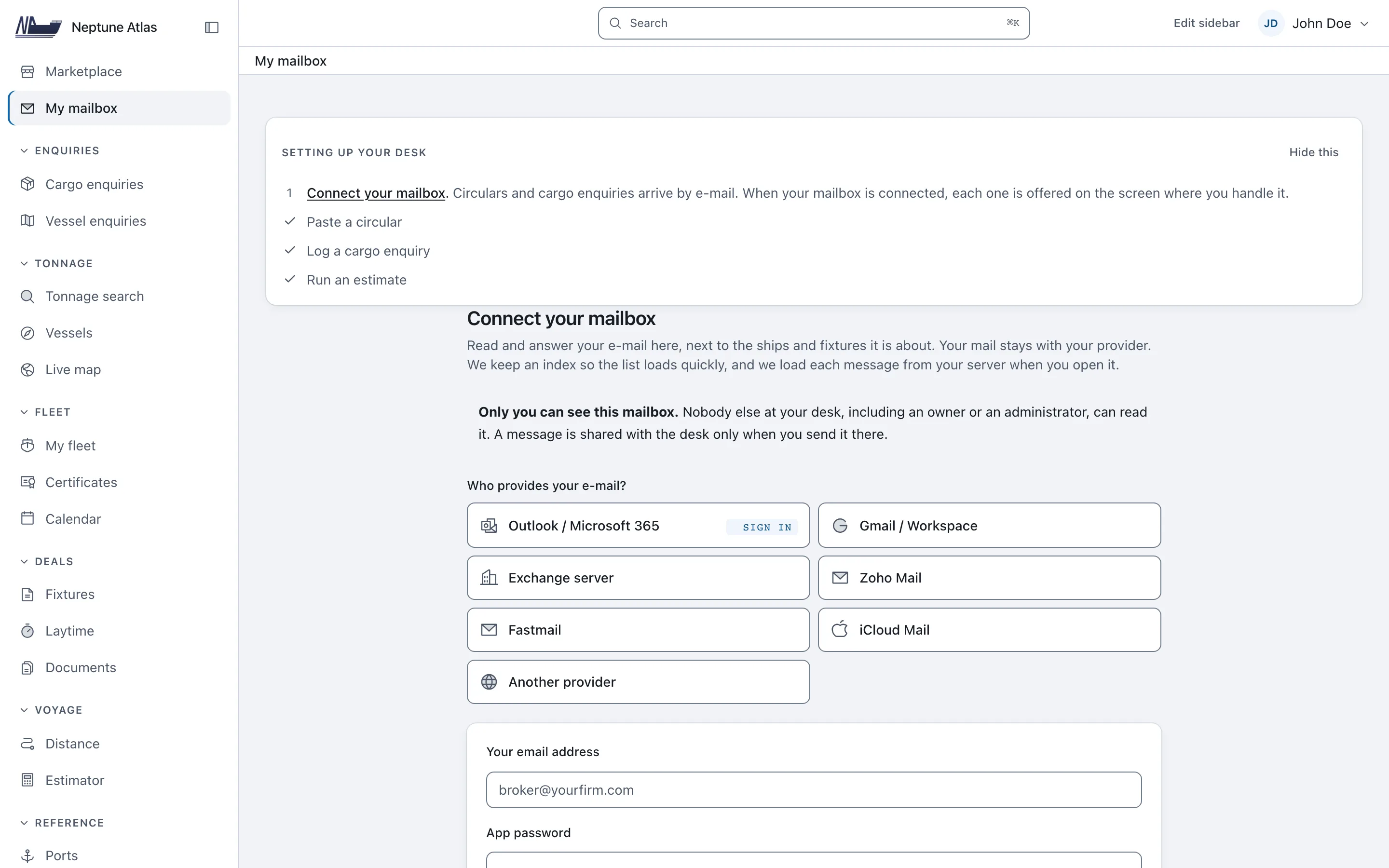
Your e-mail becomes your position list
Owners and brokers send lists of open ships by e-mail. Connect the mailbox you already use, and Neptune Atlas adds what arrives to your desk.
Connect
Outlook and Microsoft 365 by signing in. Gmail, Exchange, Zoho, iCloud, Fastmail and others with an app password.
Read
E-mailed ship lists and cargo offers become open positions and cargo enquiries. The original e-mail text is kept next to them.
Review
Nothing is saved until you accept it, and replies go out from your own e-mail address.
Mailboxes each broker can connect: 1 on Desk, 3 on Chartering, 5 on Fleet and no limit on Enterprise. Compare the plans
Global merchant fleet data, counted live
Ship records, contacts and commercial ports for the world merchant fleet, read live from the database the product runs on.
- Ships with an IMO number
- 101,900
- With a known deadweight
- 75,596
- Ships with a contact e‑mail
- 45,386
- Commercial ports on the map
- 11,425
- Trading regions
- 31
Vessel data coverage and known gaps
26,304ships with an IMO number but no known deadweight. They cannot appear in a search by deadweight, and the search screen tells you so.
No vessel database is complete, so Neptune Atlas shows you the gaps it knows about.
Most of these are new ships and small boats with no details on record, a gap every fleet register shares. The count appears next to each search result.
Ownership has gaps too. No vendor sells registered owner data in bulk, so contacts come through the commercial and technical managers, and ships with no known company are marked as such.
A result that tells you what it could not check is more useful than a total that hides it.
Three kinds of data, kept separate
Where a ship is, when it is free for a new cargo, and which ships a port expects are three different questions. Neptune Atlas keeps them separate.
- AIS
- Where is the ship now? A position from the last few minutes or hours, which does not tell you whether the ship already has a cargo.
- Open tonnage
- When and where will the ship be free for a new cargo? Owners and other brokers send this by e-mail, and no data vendor sells it.
- Port information
- Which ships does the port expect at its berths? Each port publishes this in its own format, so we never guess it from a ship's position on a map.
A ship waiting outside a port is not always free for a cargo there, yet other products mix all three into one list of arrivals. The three kinds of data compared.
Find vessel owners, managers and contacts
Find the manager of any ship, find the people to contact, keep a record of your e-mails, and start with the largest fleets. Shared team addresses such as chartering@ are kept apart from named people, because a team address still works when staff change. Who owns a ship.
For everyone in a shipping deal
Built for brokers first. Each account says what kind of company it is, and Neptune Atlas opens on the screen that company uses most. Your plan decides which features you get.
Ship brokers
Shipbroking software for brokers. Ship lists and cargo offers come in by e-mail, you match a ship to a cargo, and the deal is recorded. Built for a desk that owns neither the cargo nor the ship.
Read the pageShip owners and managers
Add your ships from the register. Keep certificates with expiry alerts, a survey calendar, port state inspections, the last position and the current deal for each ship. Offer a ship that is free for a new cargo to every desk in one click.
Read the pageCargo owners and charterers
Post a cargo to every owner and broker on the platform, with your name or without it, on the free plan. Replies come with a name and an e-mail address, and you continue the negotiation in your own mailbox.
Read the pageCharterers and port agents use the same tools: the ship register, enquiries, fixtures and laytime. All five types of account can post and reply on the marketplace. It is on every plan, including the free one, with up to three posts live at a time.
Ship chartering software pricing
Choose the plan that fits the size of your chartering desk. Every paid plan is free for 7 days, then continues unless you cancel. Each card is read from the same table the software uses to grant access, so it lists exactly what that plan includes. To compare these prices with the rest of the market, read what ship chartering software costs. Need something no plan covers? Get in touch.
Add or remove licences at any time from Billing. The change takes effect at once, and you pay only for the days left in the period on your next monthly invoice.
1 licence. Desk US$59.99 a month. Chartering US$99.99 a month. Fleet US$149.99 a month.
Desk
Knowing what the fleet is and where it is open, and keeping the book. Ten hulls in your fleet, one mailbox per broker.
1 licence · billed monthly
Included
- Mailbox1 per broker
- Vessels
- Tonnage search
- Live map
- Vessel enquiries
- Cargo enquiries
- Marketplace
- Fixtures
- Distance
- My fleet
Then US$59.99 a month. Cancel in the first 7 days and pay nothing.
Chartering
Most desksDoing the deal: the estimate, the time and the people to ring. Thirty hulls in your fleet, three mailboxes per broker.
1 licence · billed monthly
Everything in Desk
- Mailbox3 per broker
- Vessels+ a risk card, a screening aid against public sanctions lists
- Tonnage search+ save a search and re-run it
- Live map
- Vessel enquiries
- Cargo enquiries+ a drafted enquiry to the owners of the top-ranked ships
- Marketplace
- Fixtures
- Distance
- My fleet
Plus
- Laytime
- Estimator
- Owners
Then US$99.99 a month. Cancel in the first 7 days and pay nothing.
Fleet
Running several ships and several brokers against a market. No ceiling on hulls or listings, five mailboxes per broker.
1 licence · billed monthly
Everything in Chartering
- Mailbox5 per broker
- Vessels
- Tonnage search+ price one cargo across the shortlist, ranked by TCE
- Live map
- Vessel enquiries+ your open tonnage on a world map
- Cargo enquiries
- Marketplace
- Fixtures
- Distance
- My fleet
- Laytime+ read a scanned or photographed statement of facts
- Estimator
- Owners
Plus
- Outreach
- Ports
- Vendor keys
- Support
Then US$149.99 a month. Cancel in the first 7 days and pay nothing.
Enterprise
Several desks, programmatic access, negotiated terms and a named support contact.
Priced per desk. Tell us what you need and we will send a price.
Everything in Fleet
- MailboxUnlimited per broker
- Vessels
- Tonnage search
- Live map
- Vessel enquiries
- Cargo enquiries
- Marketplace
- Fixtures
- Distance
- My fleet
- Laytime
- Estimator
- Owners
- Outreach
- Ports
- Vendor keys
- Support
Plus
- API
Asking is free and needs no card.
Where your desk's data lives
Your deals are confidential business information, and this is how we protect them.
- Hosted in the EU
- The application and its database run in Frankfurt, Germany.
- Backed up every night
- Backups are encrypted, copied to a second EU region, and restored in a test every week.
- Your desk is separate
- Each desk's records are kept in a separate part of the database. Your corrections to the shared ship register are seen only by you.
- Mailbox access encrypted
- Your mailbox login is stored encrypted. It is used only to read your mail and to send from your own address.
- Two-step sign-in
- Any user can turn it on, and a desk can require it for everyone.
- Your data on request
- Ask for a copy of your personal data, or ask us to delete it, under GDPR and PIPEDA. How we handle it
Common questions about ship chartering software
What is ship chartering software?
Software for the business side of moving cargo by sea. It helps you find ships, match free ships to a cargo, negotiate with owners and charterers, record the deal (the fixture), and work out laytime (the time allowed to load and unload). Neptune Atlas compared with the alternatives.
What is Neptune Atlas?
Neptune Atlas is vessel chartering software and ship broker software for chartering desks. It brings the world merchant fleet, position lists, tonnage search, cargo enquiries, owner and manager contacts, fixtures and post-fixture work (the work after a deal is agreed, such as laytime) into one place. It is built for brokers first and also serves owners, charterers and cargo owners. It is a commercial product, not a directory or an educational resource. What Neptune Atlas does, feature by feature.
Who is Neptune Atlas for?
Shipbrokers and chartering desks that need to search ships, find free ships, handle cargo enquiries, contact owners and managers, and keep all their deals in one place instead of in a spreadsheet and an inbox. Owners, charterers and cargo owners have their own pages and use the same plans. Who Neptune Atlas is for, by type of desk.
What is open tonnage?
A ship that will be free for a new cargo at a known date and place. It is not the same as an AIS position, because knowing where a ship is does not tell you if or when it is free.
Does Neptune Atlas show AIS vessel positions?
Yes, on every plan, including the free one. The live map shows ships from AIS data and tells you how old the newest position is. AIS is kept separate from open tonnage, so a ship's location is never taken to mean it is free.
Does Neptune Atlas handle laytime and demurrage?
Yes, on the Chartering plan and above. You enter the statement of facts (the log of times in port) on the fixture, in UTC. Laytime, demurrage and despatch are then calculated from it and from the terms agreed on that fixture. There is also a free calculator that anyone can use without an account. Open the laytime calculator.